The difference between an AI chatbot that’s genuinely useful and one that frustrates customers often comes down to a single factor: the quality and completeness of its training data. A chatbot is only as good as the information you give it.
This guide walks through exactly how to prepare, organise, and continuously improve your chatbot’s knowledge base — so it gives accurate, helpful answers to your customers from day one.
Understanding How Your Chatbot Learns
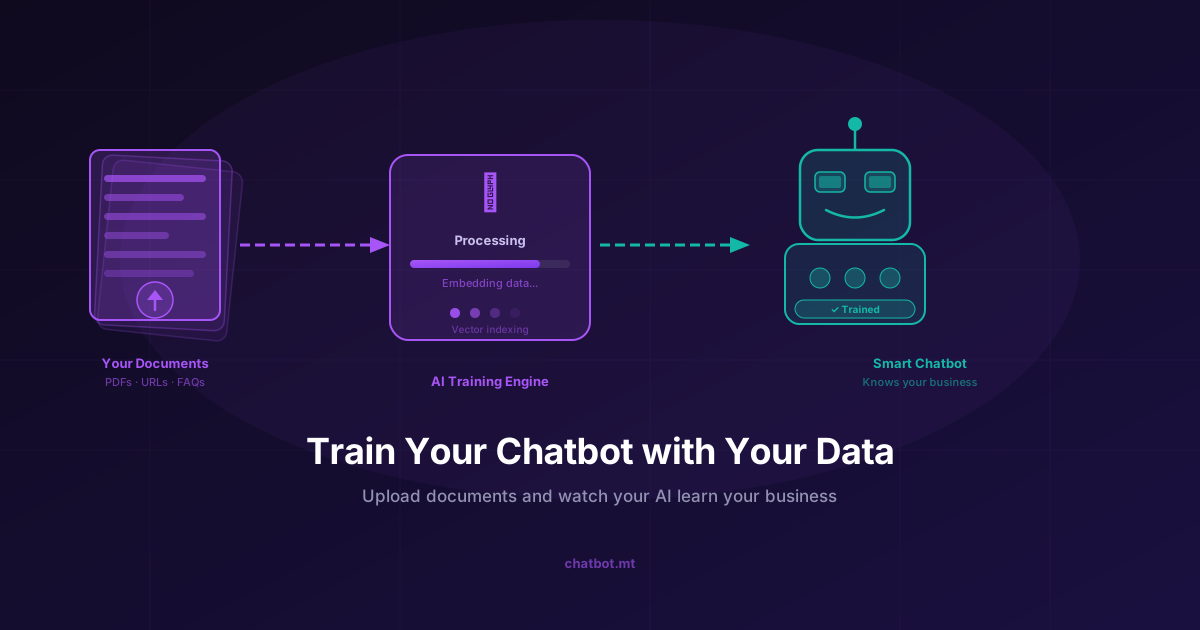
First, a quick clarification about what “training” means for a business chatbot. Unlike training a machine learning model from scratch (which requires significant data, time, and technical expertise), training a chatbot on your platform means building a knowledge base — a searchable library of your business content.
This works through Retrieval-Augmented Generation (RAG): when a customer asks a question, the system finds the most relevant content from your knowledge base and uses it to generate an accurate, grounded response. You don’t need to write scripts or decision trees — you just need to provide good content.
What Content Should Go in Your Knowledge Base?
Think of your knowledge base as everything a new employee would need to read to answer customer questions competently. It typically includes:
Core Business Information
- About your business — what you do, who you serve, your location and contact details
- Opening hours and holiday schedules
- Service area and delivery coverage
- Team and contact information
Products and Services
- Product descriptions, specifications, and pricing
- Service packages and what’s included
- Comparison of options (e.g., different pricing tiers)
- What you don’t offer (helps the chatbot avoid misleading customers)
Policies
- Returns and refund policy
- Shipping and delivery policy
- Cancellation and rescheduling policy
- Privacy policy (the parts customers actually ask about)
- Warranty and guarantee terms
FAQs
If you don’t have a written FAQ, creating one is the single most valuable thing you can do before setting up your chatbot. Go through your last 30 customer queries and write clear answers to the 20 most common questions.
Process Information
- How to place an order or make a booking
- How to track an order
- How to submit a complaint or request a refund
- How to reach a human agent
Preparing Your Content: Best Practices
Be Specific
Vague content produces vague answers. Instead of:
“We offer competitive pricing on our services.”
Write:
“Our Standard plan costs €49/month and includes X, Y, and Z. Our Pro plan costs €99/month and adds A and B. Our Enterprise plan includes custom pricing for businesses with more than 50 users.”
Cover Both the Question and the Answer
When writing FAQs or policy documents, frame them as questions and answers. The chatbot recognises these patterns and uses them effectively.
Good format:
Q: Can I cancel my subscription at any time? A: Yes, you can cancel your subscription at any time from your account settings. If you cancel mid-billing period, you’ll retain access until the period ends. We don’t offer partial refunds for unused time.
Write in Plain Language
Your chatbot will communicate the way your content is written. If your policy documents are written in dense legalese, your chatbot will give dense legalese responses. Rewrite any content in clear, conversational language before adding it.
Keep It Current
Outdated content is worse than no content — it produces confident, wrong answers. Review your knowledge base whenever your prices, policies, or services change.
Content Formats You Can Use
chatbot.mt’s platform accepts several content formats:
Website Crawl
The easiest starting point. Provide your website URL and the system crawls your site automatically, extracting and indexing relevant content. Run the crawl whenever you significantly update your website.
PDF Documents
Upload product manuals, service guides, policy documents, or any other PDFs. The system extracts text and makes it searchable.
Word and Text Documents
Any plain text or Word document works. This is useful for FAQs, internal guides, or any content that isn’t on your public website.
Manual Q&A Pairs
Type specific question-answer pairs directly into the knowledge base editor. This is ideal for highly specific queries where you want precise control over the answer.
Organising Your Knowledge Base
For most small businesses, a flat knowledge base works fine. As your business grows, consider organising content into categories:
- Products/Services — everything about what you offer
- Ordering/Booking — how transactions work
- Policies — all policy documents
- Support — troubleshooting and common issues
- About — company information
This organisation helps you audit your coverage and identify gaps more easily.
After Launch: Iterating on Your Knowledge Base
The initial knowledge base gets you live. Continuous iteration makes your chatbot excellent.
Review Unanswered Queries
Your dashboard will flag queries the chatbot couldn’t confidently answer. These are your highest-priority additions to the knowledge base. Every unanswered query represents a customer who didn’t get the help they needed.
Check Confidence Scores
Most platforms provide confidence scores for responses. Low-confidence answers to common queries indicate either missing content or content that needs to be rewritten for clarity.
Watch for Pattern Changes
As your business evolves, the questions customers ask change. A new product launch, a policy change, or a seasonal event all generate new query patterns. Set a reminder to review your top-10 queries monthly.
Test Edge Cases
Think about the unusual ways customers phrase common questions. “How long does delivery take?” and “when will my order arrive?” and “do you do next day?” are all asking the same thing. Test variations to make sure your chatbot handles them all.
Industry-Specific Knowledge Base Tips
Different industries have distinct knowledge base needs:
E-commerce: Your product catalogue and inventory are central. Consider integrating your product database directly so the chatbot always has current availability and pricing — see our e-commerce chatbot guide.
Hospitality and restaurants: Menus, booking procedures, dietary information, and location/parking details are what customers ask most — see chatbot for restaurants and chatbot for hospitality.
Healthcare: Service information, appointment procedures, and clinic-specific FAQs. Be careful about clinical content — keep it informational rather than diagnostic — see chatbot for healthcare.
Finance and insurance: Product features, eligibility criteria, and process information. Compliance requirements mean every fact needs to be verifiable and current — see chatbot for finance.
The Ongoing Commitment
Training your chatbot isn’t a one-time event — it’s an ongoing practice. The businesses that get the best results from their chatbots are the ones that treat knowledge base maintenance as a regular task, not a launch activity.
Block 20 minutes per week to review conversations, identify gaps, and add content. After three months of consistent maintenance, most businesses find their chatbot is handling 70–80% of enquiries accurately — a result that makes the maintenance investment many times over.
Ready to get started? Explore our features or check our pricing to begin building your knowledge base today.
Related reading: What is RAG? How Retrieval-Augmented Generation Powers Smarter Chatbots and How to Build a Customer Support Chatbot in 5 Minutes